History and rollback
The features in a part are built in order, top to bottom, each from the result of the one before: SolidWorks' FeatureManager history.
The rollback bar
The Rollback bar at the end of the features marks how far the model is built. Move it up and the features below it are greyed and skipped. New features go just above it, so you can add a feature early in the history.
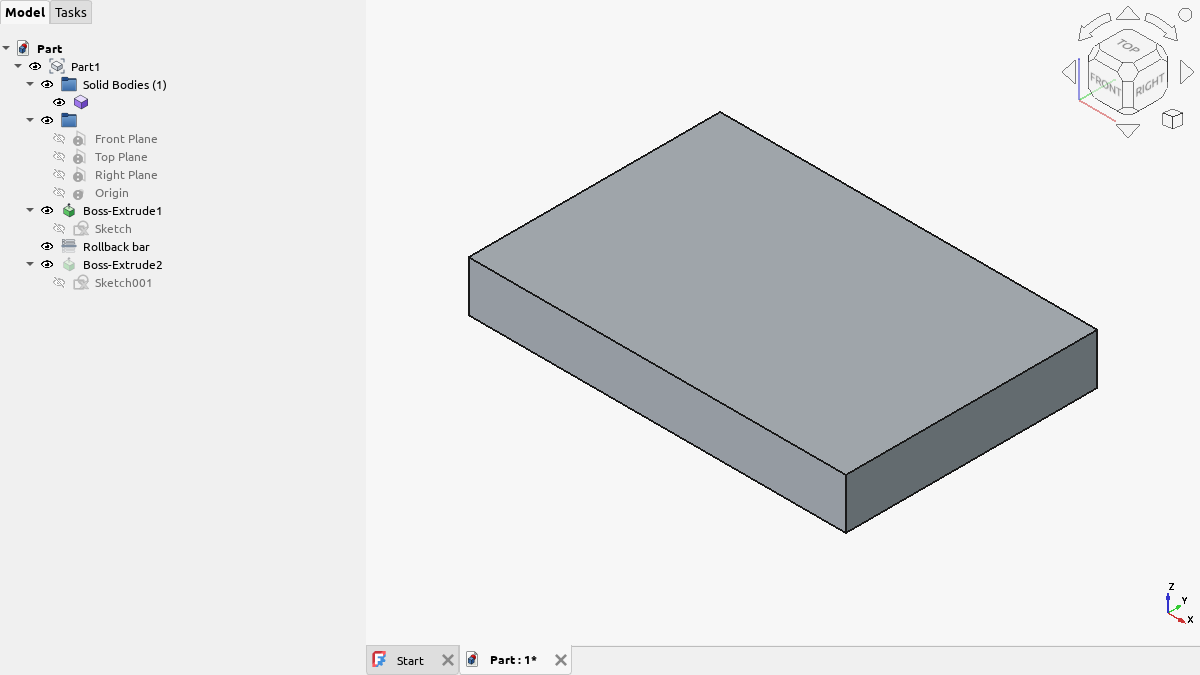
Editing an earlier feature
Opening a feature that isn't the last rolls the model back to it while its panel is open, so you see the model as the feature saw it. When you close the panel, the bar goes back.
Suppressing
A suppressed feature is skipped: the model builds as if it weren't there, and the features after it carry on from the one before.
Force Rebuild
Normally only what changed is rebuilt: a feature and the ones after it when you change it, a new feature on its own when you add one, and when the rollback bar moves, only the features it moves past (those coming back are rebuilt; those going below it keep their last result). Force Rebuild builds everything again from scratch.
If something is slow, Performance Trace shows where the time goes.