Bounding Box
 Adds a box round the bodies: the smallest one, or one square to a plane. Its length, width and thickness follow the model.
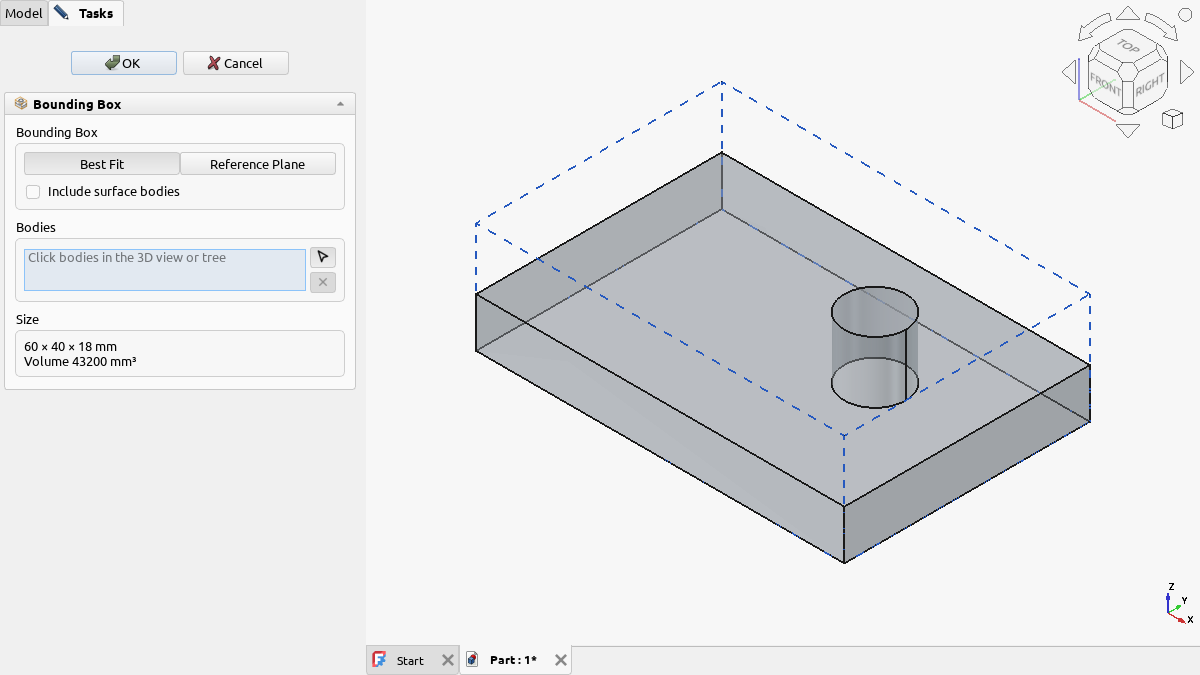
Bounding Box adds a box round the bodies that follows the model: its length, width and thickness show in the panel and update with every change. Use it for stock sizes and packaging.
How to use it
- Click Bounding Box.
- Choose Best Fit (the smallest box) or Reference Plane (a box square to a plane you pick).
- Leave Bodies empty for all of them, or click the ones to box.
- Click OK.
Where to find it
- The Reference Geometry toolbar, in the Reference Geometry drop-down.
- Solid Design → Reference Geometry → Bounding Box
- Insert → Reference Geometry → Bounding Box
- Command search: press / in the 3D view and type its name.
- The command line: : then
boundingbox(below).
The panel
Every control's tooltip says the same as here: hover over it in FreeCAD. OK (or Enter) makes the feature, Cancel (or Esc) leaves the model as it was.
Bounding Box
| Control | Kind | What it does |
|---|---|---|
| **Best Fit \ | Reference Plane** | Buttons: Best Fit \ |
| Plane | Selection box: click a plane or face | The box sits square to this plane (shown for some choices only) |
| Include surface bodies | A check box | Put the surface bodies in the box too |
Bodies
| Control | Kind | What it does |
|---|---|---|
| Bodies | Selection list: click bodies in the 3D view or tree | The bodies in the box (none picked: every body) |
Size
60 × 40 × 18 mm Volume 43200 mm³
On the command line
Press : in the 3D view and type boundingbox, then what to set. See the command line for how it works.
Options it takes
| Option | How to type it | What it is |
|---|---|---|
Type |
a word: bestfit, referenceplane |
How it is defined |
IncludeSurfaces |
includesurfaces turns it on, includesurfaces=no off |
Put the surface bodies in it too |
Properties
All properties
What the feature stores, as the Property editor shows it (select the feature in the tree, then the Data tab). The panel sets these for you.
| Property | Kind | Default | What it is |
|---|---|---|---|
Type |
Choice | Best Fit | How it is defined Choices: Best Fit, Reference Plane. |
Reference1 |
Picks | – | Reference 1 |
Bodies |
List | – | The bodies it measures, by ID (empty: every solid body) |
IncludeSurfaces |
Yes/No | No | Put the surface bodies in it too |
Length |
Length | 0 mm | The box's longest side |
Width |
Length | 0 mm | The box's middle side |
Thickness |
Length | 0 mm | The box's shortest side |
BoxVolume |
Volume | 0 | The box's volume |