Part
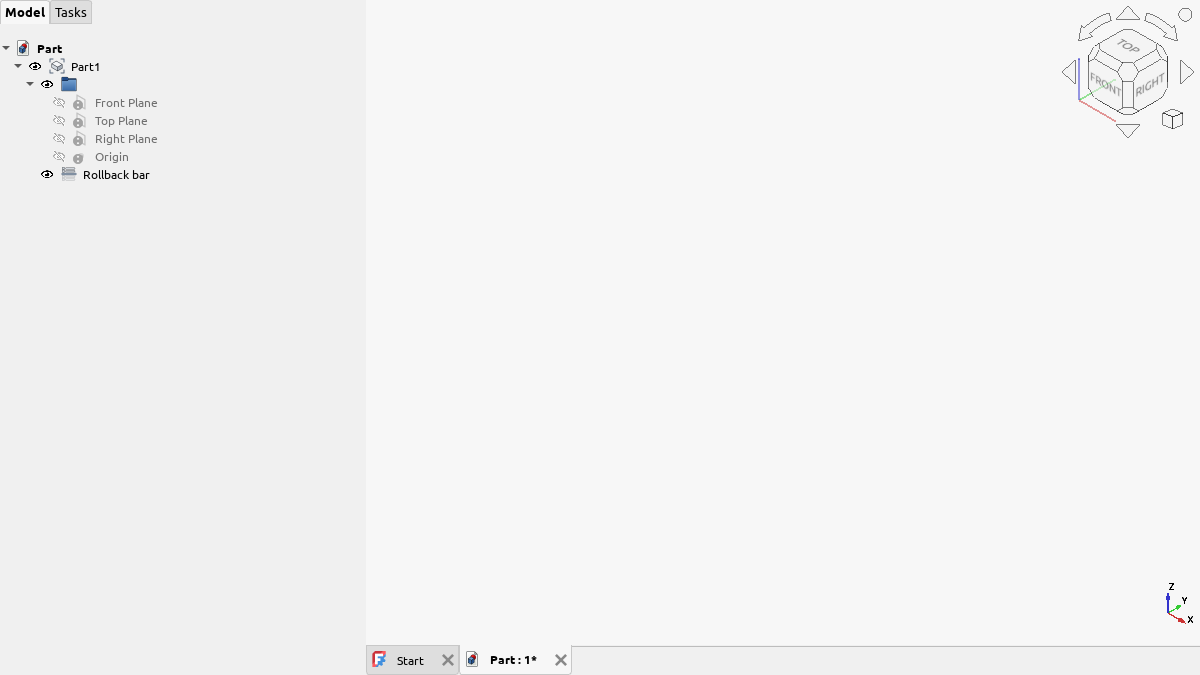
 Creates a part with its origin, default planes and body folders.
A part holds everything you model: its origin (three planes and three axes), its bodies, and its features in order. Start every model with one. It's SolidWorks' part document, inside a FreeCAD document.
How to use it
- Open or make a FreeCAD document (File → New).
- Click Part. The new part appears in the tree with its Origin and its body folders, and becomes the active part: new sketches and features go into it.
Good to know
- You rarely need to click Part yourself: the first sketch or feature in a document without a part makes one.
- A document can hold more than one part. The tools work on the active part.
- See parts and bodies for how bodies are kept.
Where to find it
- The Part toolbar.
- Solid Design → Part
- Insert → Part
- Command search: press / in the 3D view and type its name.